
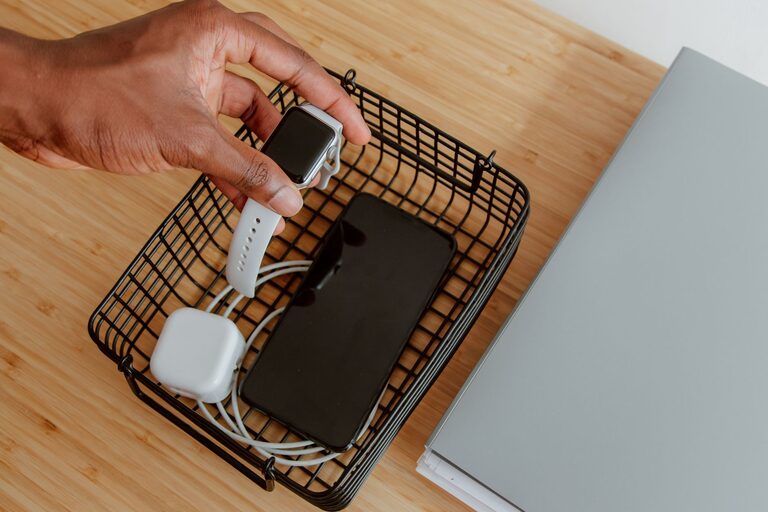
Setting up a dedicated charging station is a smart way to keep your devices organized, charged, and ready to use. Whether you have smartphones, tablets, smartwatches, or other gadgets, a well-planned charging station reduces clutter and simplifies your daily routine. This guide will walk you through choosing the right location, picking the best equipment, and organizing cables effectively.
Why Set Up a Charging Station?
With multiple devices, charging cables scattered around can create a messy workspace or living area. A charging station helps by:
– Centralizing all device charging in one spot
– Reducing cable clutter
– Keeping devices safe and off the floor or countertops
– Helping you easily find and charge devices when needed
Step 1: Choose the Ideal Location
The first step is selecting a convenient spot for your charging station. Consider these factors:
– Accessibility: Pick a place you use frequently, like your home office desk, kitchen counter, or bedside table.
– Power Outlets: Ensure there are enough outlets nearby. You might need a power strip or extension cord if outlets are limited.
– Ventilation: Devices can generate heat during charging, so choose a spot with good airflow.
– Safety: Avoid places where cords can be tripped over or where devices might get wet.
Step 2: Gather Necessary Equipment
Depending on how many devices you need to charge, you’ll want to collect some essentials:
– Multi-port USB charger: These chargers allow multiple devices to plug in and charge simultaneously, reducing the number of adapters needed.
– Charging cables: Use reliable cables compatible with your devices. Keep a few extras for visitors or future devices.
– Power strip or surge protector: Protect your devices from power surges and provide extra outlets.
– Cable organizers: Cable clips, sleeves, or ties help keep cables tidy.
– Charging station dock or stand (optional): These come in various designs to hold devices upright or neatly stacked.
Step 3: Organize Your Cables
Cable management transforms your charging station from tangled chaos to neat order. Here are some tips:
– Label your cables: Use small tags or color-coded ties so you know which cable belongs to which device.
– Use cable clips or holders: Attach clips to the edge of a desk or table to guide cables and keep them from falling.
– Bundle excess cable length: Wrap extra cable portions with Velcro ties or twist ties to prevent tangling.
– Consider cable sleeves or boxes: These contain multiple cables and power strips for a cleaner look.
Step 4: Set Up Your Station
Now it’s time to assemble everything:
- Plug the power strip or surge protector into the wall outlet.
- Connect your multi-port USB charger to the power strip.
- Attach your charging cables to the charger and arrange them with your cable organizers.
- Place your charging station dock or designated charging area on the surface.
- Position your devices within easy reach, plugging them in for charging.
If possible, arrange devices so screens face you or are easy to grab.
Tips for Maintaining Your Charging Station
– Keep it tidy: Regularly check for dust buildup and tidy cables.
– Update cables: Replace worn or damaged cables promptly to avoid charging problems.
– Charge smart: Avoid leaving devices plugged in longer than necessary, which helps maintain battery health.
– Add labels: If multiple people use the station, labeling cables can avoid confusion.
Alternative Charging Station Ideas
If you want a more customized or decorative approach, try these ideas:
– Use a drawer organizer: Convert a drawer into a hidden charging station with ventilation.
– Repurpose a jewelry box or tray: Use compartments to separate devices.
– Wall-mounted charging station: Keep counters clear with a mounted dock.
– Furniture with built-in charging: Some desks and nightstands have USB ports and outlets built in for convenience.
Conclusion
Setting up a charging station is a practical way to manage multiple devices and cables while keeping your space organized. By choosing the right location, gathering suitable equipment, and organizing cables efficiently, you can build a neat, functional station that saves time and hassle. With a little planning, you’ll enjoy a clutter-free space where all your devices are charged and ready when you need them.